Real-Time Stock Data Watchlist Architecture

Daniel Ratke
Research & Engineering
Real-Time Stock Data Watchlist Architecture
A real-time stock watchlist should resolve reference data first, initialize rows with snapshots, separate trades from quotes, label live or delayed state, suppress stale alerts, and keep enough logs to explain every alert or missing quote.
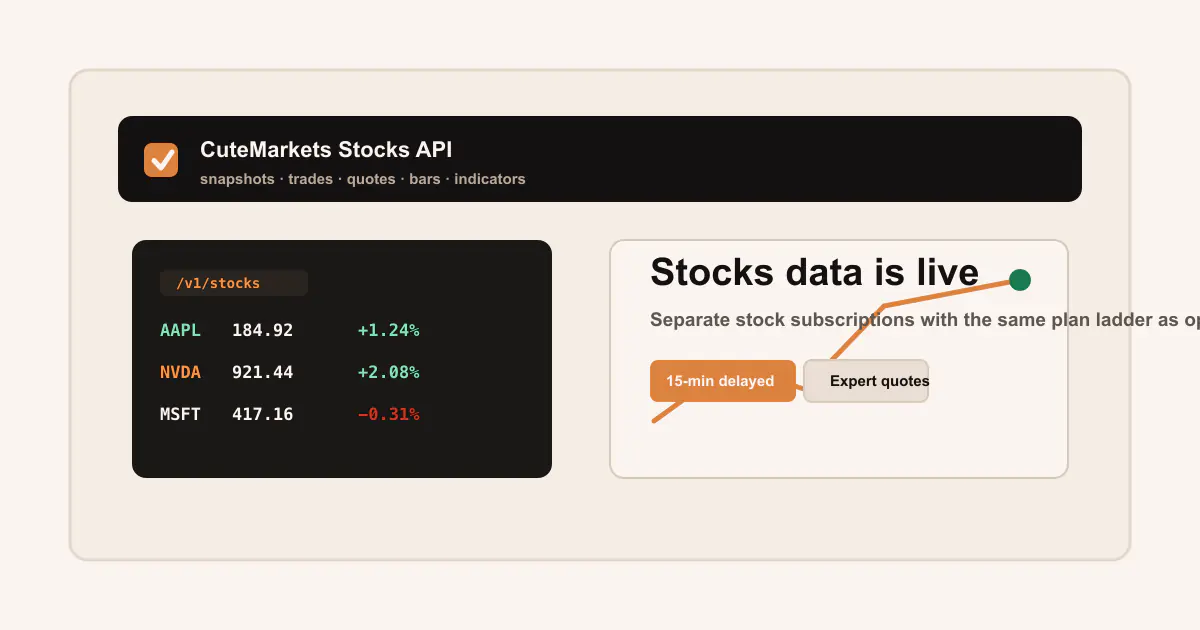
Term map
Stocks-data vocabulary for this article
Separate stock snapshots, trade prints, bid/ask quotes, adjusted aggregates, ticker reference, market session, and stock/options joins. That distinction keeps stock dashboards and option-research inputs from collapsing into one vague price field.
Follow the linked definitions for Stock snapshots, Stock trades and quotes, Adjusted aggregates, Stock/options join, Access method, Freshness label, Ticker reference, Market movers, Open-close record, Stock quote entitlement, Indicator window, and Corporate-action adjustment.
A real-time stock watchlist is more than a table that refreshes quickly. It is a small data system with reference data, snapshots, movers, trades, quotes, bars, entitlement labels, stale-row rules, and a support trail. If those pieces are vague, the UI can look alive while the underlying market-data claim is hard to audit.
This guide connects Real-Time Stock Data API, Stocks Data API, Stock Snapshots docs, Stock Trades and Quotes docs, Stock Aggregates and Indicators, and Live, Delayed, and Entitlements.
Start with reference data
Real-time watchlists should not begin by polling whatever symbol a user typed. They should resolve the ticker first.
The Stock Reference docs cover ticker lists, ticker types, ticker detail, and related tickers. A useful watchlist stores:
- ticker
- active status
- security type
- display name
- related ticker context
- product plan
- last reference refresh
This prevents a dashboard from silently tracking inactive, ambiguous, renamed, or mistyped symbols. It also helps customer support answer a simple question: "What did the product think this ticker meant?"
Snapshots initialize state
Snapshots are the main current-state object for stock dashboards. A watchlist can use ticker snapshots for the row state, full-market snapshots for broader panels, and movers for gainers or losers.
curl "https://api.cutemarkets.com/v1/stocks/snapshot/AAPL/" \
  -H "Authorization: Bearer YOUR_API_KEY"
Snapshot terminology:
| Term | Use in a watchlist |
|---|---|
| Snapshot timestamp | Shows whether a row is fresh enough to display normally |
| Mover state | Explains why a ticker appears on a gainer or loser list |
| Last trade | Activity context, not a full bid/ask market |
| Last quote | Bid/ask context when the plan includes stock quote access |
| Freshness label | Visible live, delayed, stale, or historical state |
Use Real-Time Stock Data API as the product entry point, while Stock Snapshots carries endpoint-level detail.
Trades keep the tape visible
A live watchlist can show last trade and recent trade activity, but it should not call a last trade the current market. Use the Stock Trades API for prints and Stock Trades and Quotes for the deeper semantics.
Trade fields help answer:
- Was the ticker active recently?
- Did volume arrive after a signal?
- Did a price move come from many prints or one isolated print?
- Does the aggregate bar agree with the tape?
For event-driven research, combine the live watchlist with Historical Stock Data API and Stock Trades vs Stock Quotes API for Developers.
Quotes require an explicit plan boundary
Quote access is where real-time stock terminology often becomes misleading. A dashboard can have live snapshots and trades while quote endpoints require a higher plan. CuteMarkets stock quote endpoints require Expert or Commercial stock access. That is why the UI should not hide quote entitlement behind a generic "live" badge.
Quote-aware watchlist fields:
- bid
- ask
- midpoint
- spread amount
- spread percent
- quote timestamp
- quote age
- quote entitlement
- stale quote flag
For implementation detail, use Stock Quotes API, Pricing, and Live, Delayed, and Entitlements. If the watchlist connects to option workflows, also review Options Quotes docs and Options Data API.
Bars and indicators add context
Real-time watchlists often need a historical baseline: previous close, open-close state, five-minute bars, relative volume, SMA, EMA, MACD, or RSI. That context should come from Stock Aggregates and Indicators and Historical Stock Aggregates and Indicators API Guide.
Use bars for:
- intraday charts
- opening range context
- previous-day comparisons
- indicator columns
- relative volume checks
- post-alert review
Do not use bars as a substitute for quote evidence when a workflow needs bid/ask context. If a stock signal triggers an option action, move into Stock and Options Data Join Workflow, Options Chain API, and Historical Options Data API.
Stale-row behavior is product behavior
A watchlist should decide what to do when data is stale:
| State | UI behavior | Log behavior |
|---|---|---|
| Fresh live | Normal row display | record timestamp and plan |
| Delayed | Show delayed label | record delayed entitlement |
| Stale | Dim row or suppress alert | record stale threshold breach |
| Missing quote | Hide spread fields or show unavailable | record quote entitlement or missing data |
| Backfilled | Mark as repaired | record backfill request window |
This is a UX decision and a data-quality decision. It also matters for support. A user asking why an alert did not fire should be able to see whether the row was delayed, stale, missing quote access, or blocked by a spread threshold.
Watchlist to options scanner
Many options workflows begin with a stock watchlist row. A stock appears as a mover, breaks an opening range, crosses an indicator, or spikes on volume. The application then asks whether option contracts deserve review.
Safe handoff:
- Resolve ticker reference.
- Read stock snapshot and freshness label.
- Check trades, bars, and quote context if needed.
- Store the stock signal timestamp.
- Fetch option expirations.
- Request the option chain.
- Filter contracts by DTE, moneyness, Greeks, IV, OI, spread, quote age, and volume.
- Log the selected OCC contract and quote window.
This path should link to Options Chain Scanner Architecture, Build an Options Chain Scanner That Is Quote-Aware, and Paper Trading Bot Data Stack when the workflow moves toward simulation.
Operational checklist
Before shipping a real-time stock watchlist, verify:
- reference data resolves before polling market data
- row freshness is visible
- live versus delayed state is visible
- stock quotes are only shown where entitled
- stale rows cannot trigger alerts silently
- REST backfill exists after downtime
- bars and indicators carry timestamp windows
- stock signals can join to option chains without same-bar lookahead
- support logs include request IDs, plan labels, and timestamps
That checklist is more useful than another generic promise of "real-time market data." Real-time systems earn trust by making freshness, entitlement, object semantics, and failure states visible.
How the terminology applies
For Real-Time Stock Data Watchlist Architecture, the stocks data workflow should treat Stock snapshots, Stock trades and quotes, Adjusted aggregates, Stock/options join, Access method, and Freshness label as operational state rather than glossary decoration. That framing keeps stock state separate from option state so dashboards, screens, and cross-asset research do not collapse every value into one price.
A developer implementing this API Guide idea should persist Ticker reference, Market movers, Open-close record, Stock quote entitlement, Indicator window, and Corporate-action adjustment beside the result, instead of leaving those words in a term card. It also makes the stock-to-options handoff auditable because the stock timestamp and data object remain attached to downstream option requests.
The review artifact for Real-Time Stock Data Watchlist Architecture becomes more useful when Options data API, OPRA-originating data, OCC option symbol, Bid/ask spread, Midpoint, and Quote/trade condition appear in the same body of evidence as the selected rows. When the page describes a screen or watchlist, these fields should drive freshness labels, row states, and drilldown links.
In production notes for this stocks data workflow, Quote vs trade semantics, REST snapshot, WebSocket stream, Entitlement gate, Quote freshness, and Timestamp semantics define the checks that decide whether the workflow is reproducible. The result is a stock workflow that can explain whether a row came from a snapshot, bar window, trade print, quote, or reference record.
For Real-Time Stock Data Watchlist Architecture, the practical acceptance test is simple: another developer should be able to read the body, identify the exact inputs, reproduce the request sequence, and explain the accepted and rejected rows without relying on the bottom terminology grid. If a phrase appears in the page vocabulary, it should correspond to a stored field, a validation check, a replay step, or an implementation decision in the stocks data workflow.
This is also the reason the article should not measure success only by the final chart, table, or headline metric. The better standard is whether the data path, timing model, entitlement state, and evidence trail survive review. When those pieces are written directly into the body, the terminology becomes part of the workflow readers can implement.
Terminology
Market-data terms used in this article
These terms keep the article connected to the CuteMarkets knowledge base and to the exact API workflow behind the research.
Stock snapshots
Current stock state used for watchlists, movers, dashboards, and cross-product context.
Stock trades and quotes
Prints and bid/ask records that should stay separate when building spread-aware stock workflows.
Adjusted aggregates
Historical bars where corporate-action handling should be recorded before research results are compared.
Stock/options join
The workflow that ties a stock signal timestamp to listed expirations, chains, contracts, quotes, and selected option legs.
Access method
The delivery mode for market data, such as REST, WebSocket, local cache, export, or provider flat file.
Freshness label
A live, delayed, stale, historical, cached, backfilled, or unavailable state attached to a market-data value.
Ticker reference
The active status, symbol metadata, ticker type, detail, and related-ticker context checked before market data is requested.
Market movers
Snapshot-derived gainers, losers, and active symbols used for watchlists, monitors, and alert candidates.
Open-close record
A session-level stock record useful for daily review, event studies, and baseline chart context.
Stock quote entitlement
The plan boundary that decides whether bid/ask quote fields are present for stock workflows.
Indicator window
The timestamped SMA, EMA, MACD, or RSI lookback that must match the underlying bars.
Corporate-action adjustment
The split, dividend, or symbol-change handling that decides whether historical stock bars are adjusted or raw.
Options data API
The product surface for chains, contracts, quotes, trades, aggregates, Greeks, IV, open interest, and expirations.
OPRA-originating data
The U.S. listed-options source context behind quotes, trades, exchange participation, and consolidated option-market records.
OCC option symbol
The exact option contract identifier that preserves root, expiration, call or put side, and strike.
Bid/ask spread
The execution interval between bid and ask that determines whether a contract is realistically tradable.
Midpoint
The computed center between bid and ask, useful as a reference price but not proof that an order would fill.
Quote/trade condition
The condition-code, exchange, correction, sequence, and timestamp context that explains how a quote or trade row can be used.
Quote vs trade semantics
The distinction between executable bid/ask markets, printed transactions, and bar-level summaries.
REST snapshot
A reproducible request for current or historical market state, used for initialization, backfills, and audit logs.
WebSocket stream
A persistent live connection that needs subscription topics, reconnect tracking, freshness labels, and REST repair paths.
Entitlement gate
The product, plan, quote, live, delayed, historical, or commercial-use boundary checked before data is shown.
Quote freshness
The age, timestamp, and live or delayed state of a bid/ask record before it is used in a scanner, backtest, or UI.
Timestamp semantics
The exchange, provider, ingestion, session, and application time context attached to a market-data record.
FAQ
Related questions
What should a real-time stock watchlist show besides price?
It should show or log freshness, delayed/live state, last trade, quote availability, stale-row behavior, reference status, and the request path behind each row.
Can a live stock dashboard assume quote access?
No. Quote endpoints can have separate plan requirements. CuteMarkets stock quotes require Expert or Commercial stock access.
Written by
Daniel Ratke
Research & Engineering
Daniel covers the deeper research notes: options backtesting, execution realism, robustness testing, data engineering, and strategy validation.
Product links
Build the workflow with CuteMarkets
This article is part of the broader CuteMarkets product and research stack. Use the landing pages below to move from the blog into the specific API workflow you want to evaluate.
Real-Time Stock Data API
Review live stock access, snapshots, movers, trades, aggregates, indicators, and quote endpoint boundaries.
Stock Snapshots Docs
Use snapshots and movers for dashboard state and current watchlist rows.
Live, Delayed, and Entitlements
Keep freshness, plan state, quote access, and unavailable data explicit.
Options Chain Scanner Architecture
Hand stock watchlist signals into option expirations, chains, contracts, and quote windows.